


Our favorite apps
Updated: May 4

Smartphone apps make our life easier also in the field. This is a quick summary of some of our favorite apps and how we use them:

iNaturalist
This is the main app we use at our BioBlitz events and everything else! It's a free smartphone app, used by millions of people worldwide. It's a social media network for nature nerds, allowing us to share observations of any living organism we come across (and dead things too!). The app uses AI to compare photos to nearby observations and suggests identification.
It's a great tool for organizing a BioBlitz! In the past, people organized BioBlitz events using pencils and paper; iNaturalist is the perfect platform for these events - one can easily create an iNaturalist project that will automatically accumulate all observations during the event, and allow participants to monitor their contribution in real time. Later on you can connect with your participants, identify observations, and share the event results.
Download the app, create a username and password, and go out! Don't forget to log in to iNaturalist on your home computer to check on identifications and comments on your observations, as well as other people's observations!
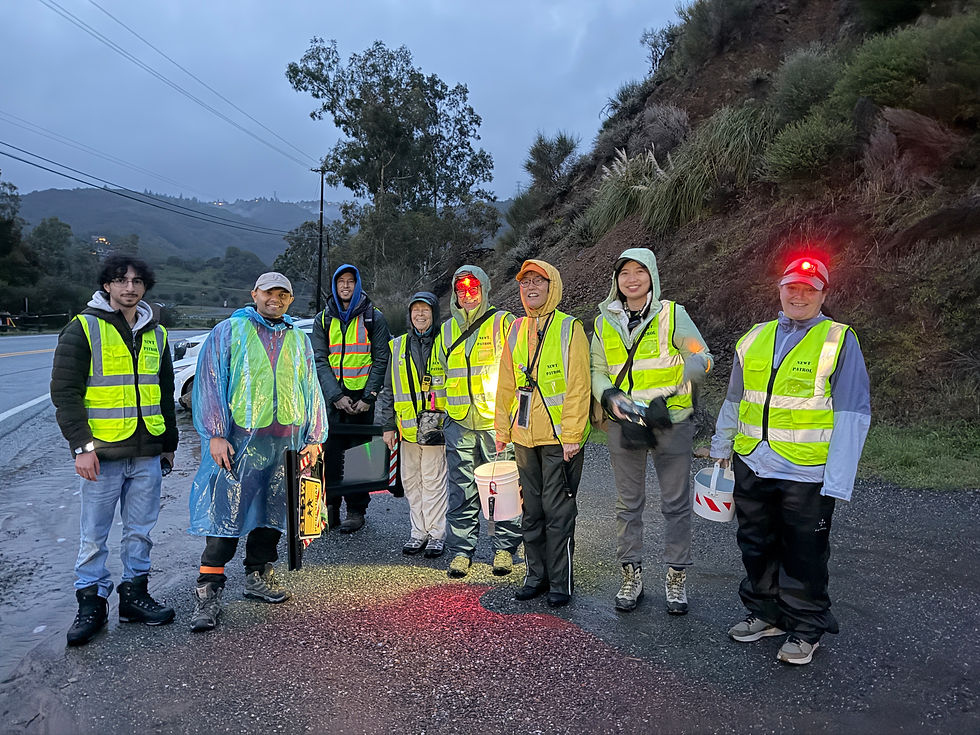
iNaturalist is a great place to meet people, and to organize local or global events. You can use it to create a community science study, and motivate other to contribute to your cause. Example for a local project - The Newt Patrol - a group of community scientists that are documenting the devastating impact of roads on one local newt population. An example for a global project - Gall Week. Gall Week aims to share the joy of gall observations with the global community, while collecting thousands of new records of these small and often overlooked organisms.
We usually use iNaturalist (the new app), as it offers much more options (and can be modified in the settings to the advanced mode). However, the old app, iNaturalist Classic, can be very useful in some cases. For example, if you'd like to add observations to projects through the app on an iPhone.

Merlin Bird ID
Merlin Bird ID is your personal pocket birder! Have you ever wondered which bird is singing that beautiful song? Some of my birder friends are experts in identifying birds songs, but they are not always around. Now you can use AI to do the same thing.
Wherever you go, turn the app on, and it will identify all bird songs around you! It's a great way to learn how to ID bird songs, or simply ID the birds around you. It is often helpful in spotting birds as well, as knowing which birds are found near you makes spotting them much easier!

Halide
Halide is a photography app that is useful for macro photography. It will allow you to control different camera parameters, and most importantly it offers a manual focus. You might have noticed that when you photograph insects or other little objects, it's often difficult for the camera to focus on the insect in an area with many other potential subjects (such as twigs, rocks, etc). Please note, for documentation the app's recorded coordinates might not be accurate. You can use the next app to improve them.

GPX Tracker
GPX Tracker is a free app that can record your track. Other than creating a cool map of your route, this is useful for two things - you can geotag your regular camera photos in case it doesn't have an internal GPS. Find out how in this great guide by Eve Mendelson. The 2nd thing is a by-product - while the app is running in the background, your phone might record more accurate coordinates all together - on your regular camera app.
There are many apps that provide this service. This one is great as it won't drain your battery much, and it's free, and easy to use!

Counter app
The Counter Tally Count is useful for research - for example, during road surveys we count traffic. You can easily set up categories, count each one, and reset all counters when you're done. This app is free, and is very easy to set and use.
Pro tip - take a screen shot of the counter app at the start and end of your survey. You can use those to note your start and end time later on, as well as make sure you don't loose your data when you reset all counters next time you use the app.
Counter app - android version
Here's a recommendation for an android version for a counter app - Thing Count on the Google Play Store. Our volunteers use it for our road study and like it!


Comments